Everything your council needs
Everything your council needs to publish, engage and stay compliant. Explore every feature built into My Council Framework.
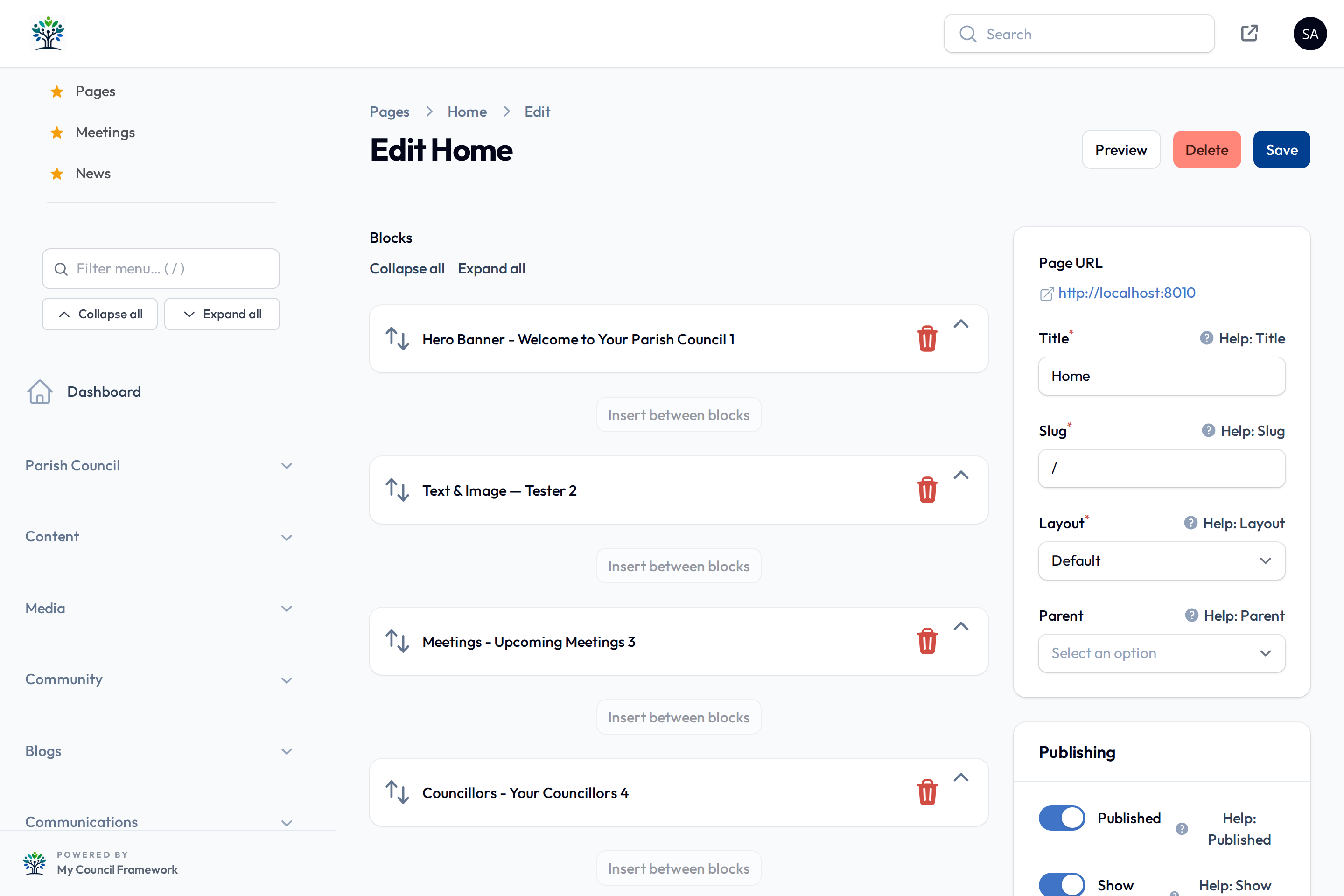
Build any page by dragging blocks
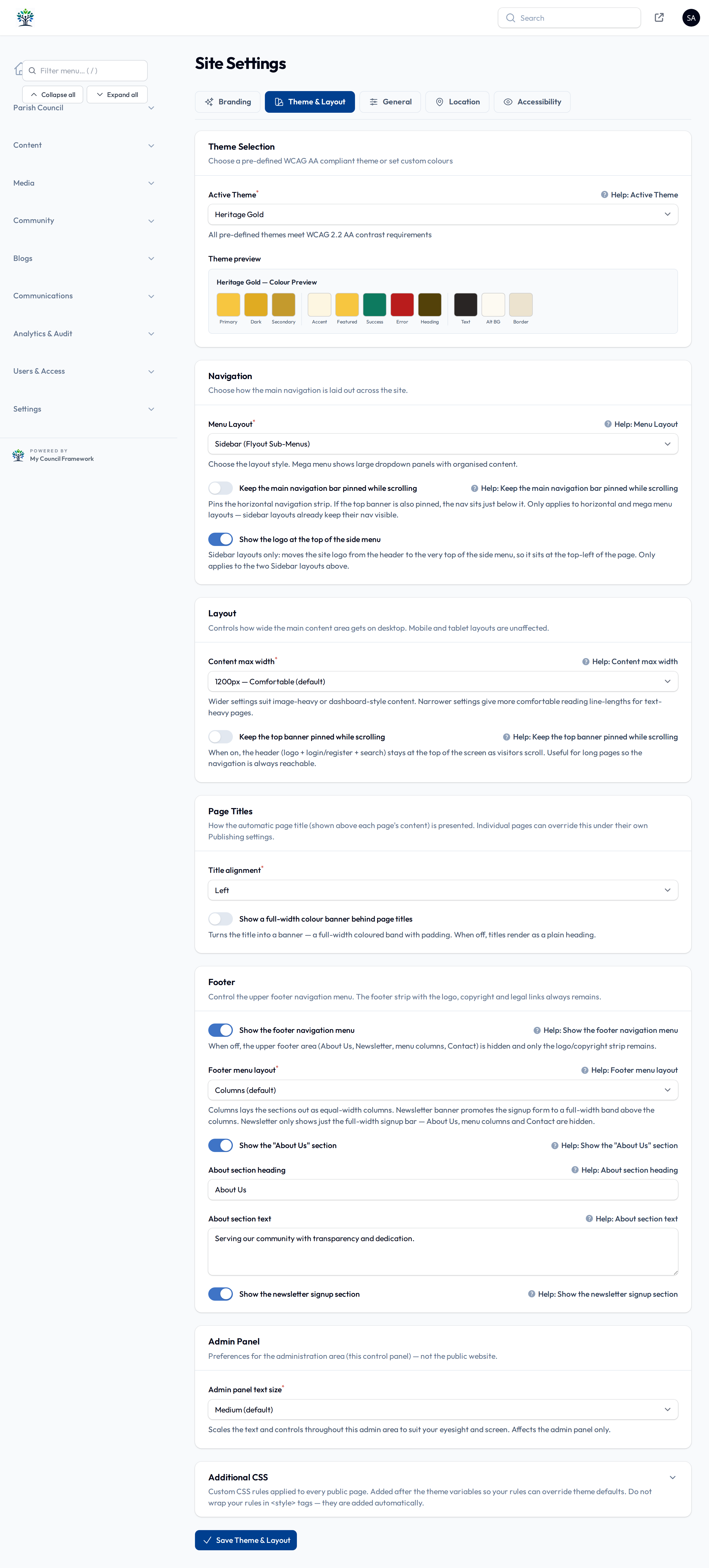
Compose pages from a library of drag-and-drop content blocks — no code, no theme files. Set a different theme and navigation menu per page when a section needs to stand apart.
- Drag-and-drop content blocks
- Per-page theme & navigation menu overrides
- Rich text, images, embeds & layout blocks
- Scheduled publishing
News, events & meetings in one calendar
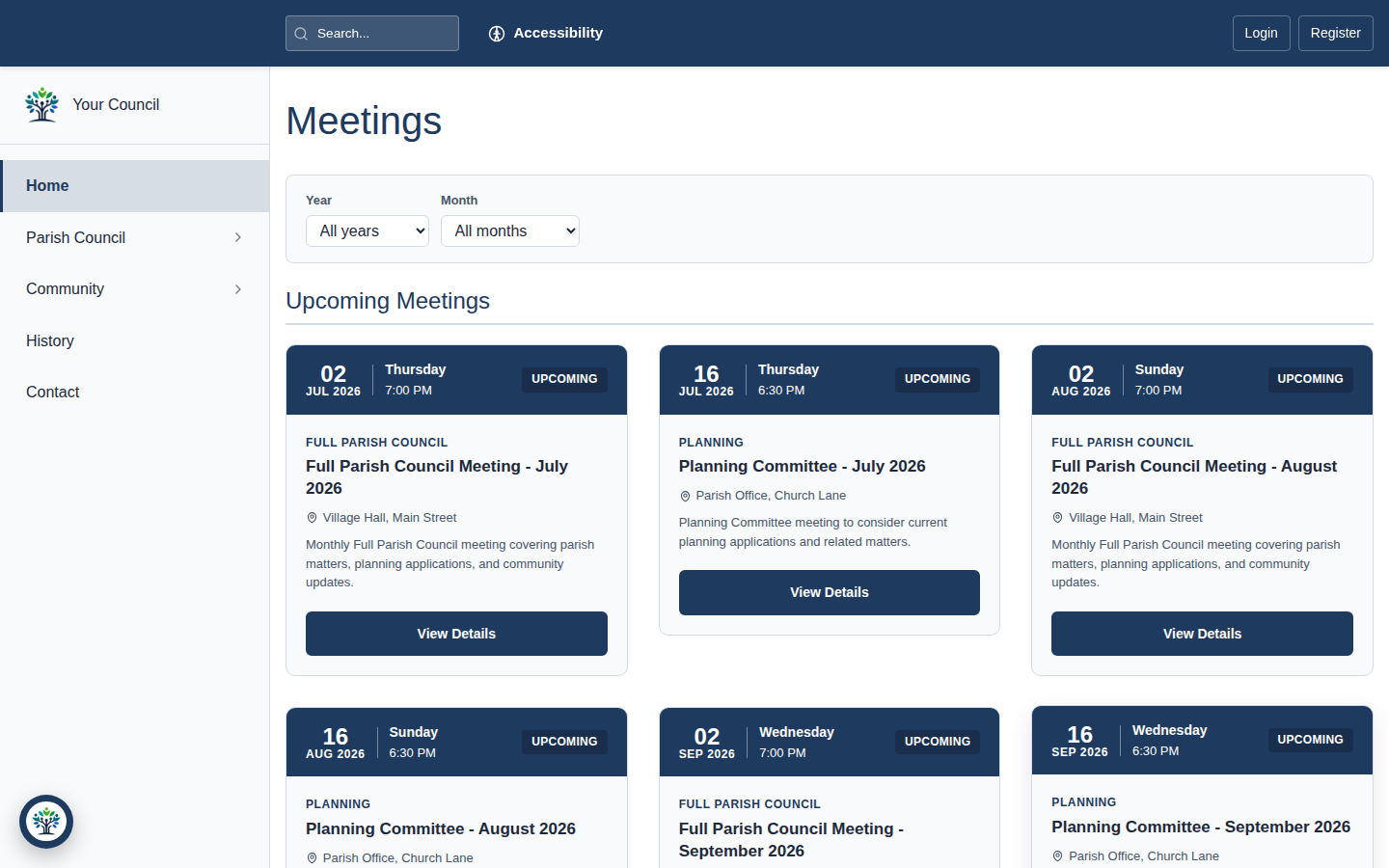
Publish news articles, events and council meetings — agendas and minutes included — and surface them together in a unified public calendar your residents can filter by date.
- News articles with scheduled publishing
- Events with recurrence support
- Meetings with agendas & minutes
- Unified events-and-meetings calendar
Transparent council governance
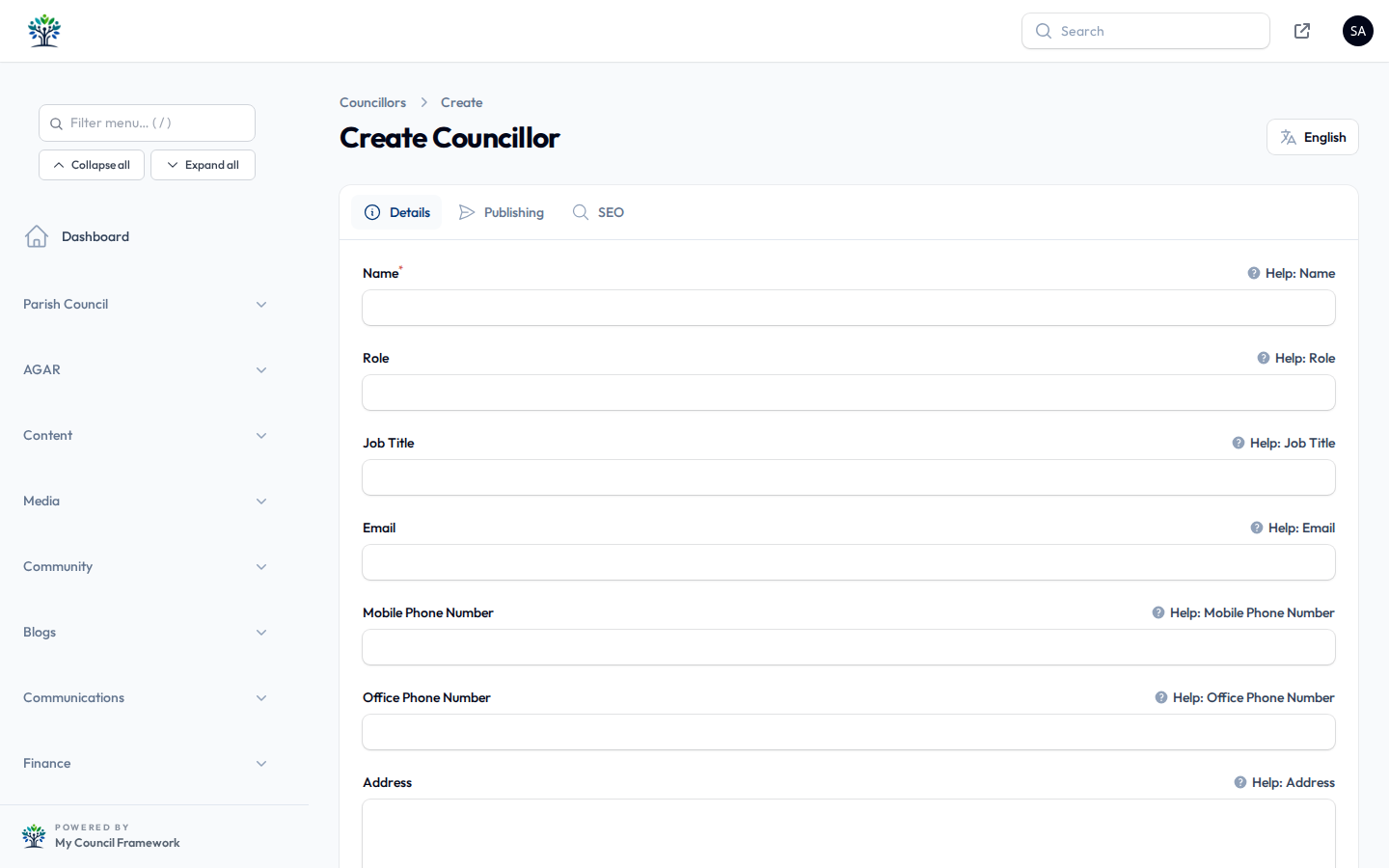
Keep residents informed with councillor profiles, committees and personnel, alongside policies, notices, reports and documents — all publicly accessible, with a document browser to find them quickly.
- Councillor profiles, committees & personnel
- Policies & notices
- Reports & documents with public access
- Document browser for residents
Showcase your community
Give residents and visitors a rich picture of your area with amenities, local attractions, a businesses directory, venues and local history — all managed from one place. Venues support booking and event ticketing.
- Amenities & local attractions
- Businesses directory
- Venues with booking & event ticketing
- Local history

Connect with your residents
Give residents a voice with contact forms, newsletters and surveys, plus map-based issue reporting with status tracking from submission to resolution.
- Contact forms with spam protection
- Newsletter & subscriber management
- Surveys
- Resident issue reporting with map & status tracking

CHIP — your site's AI assistant
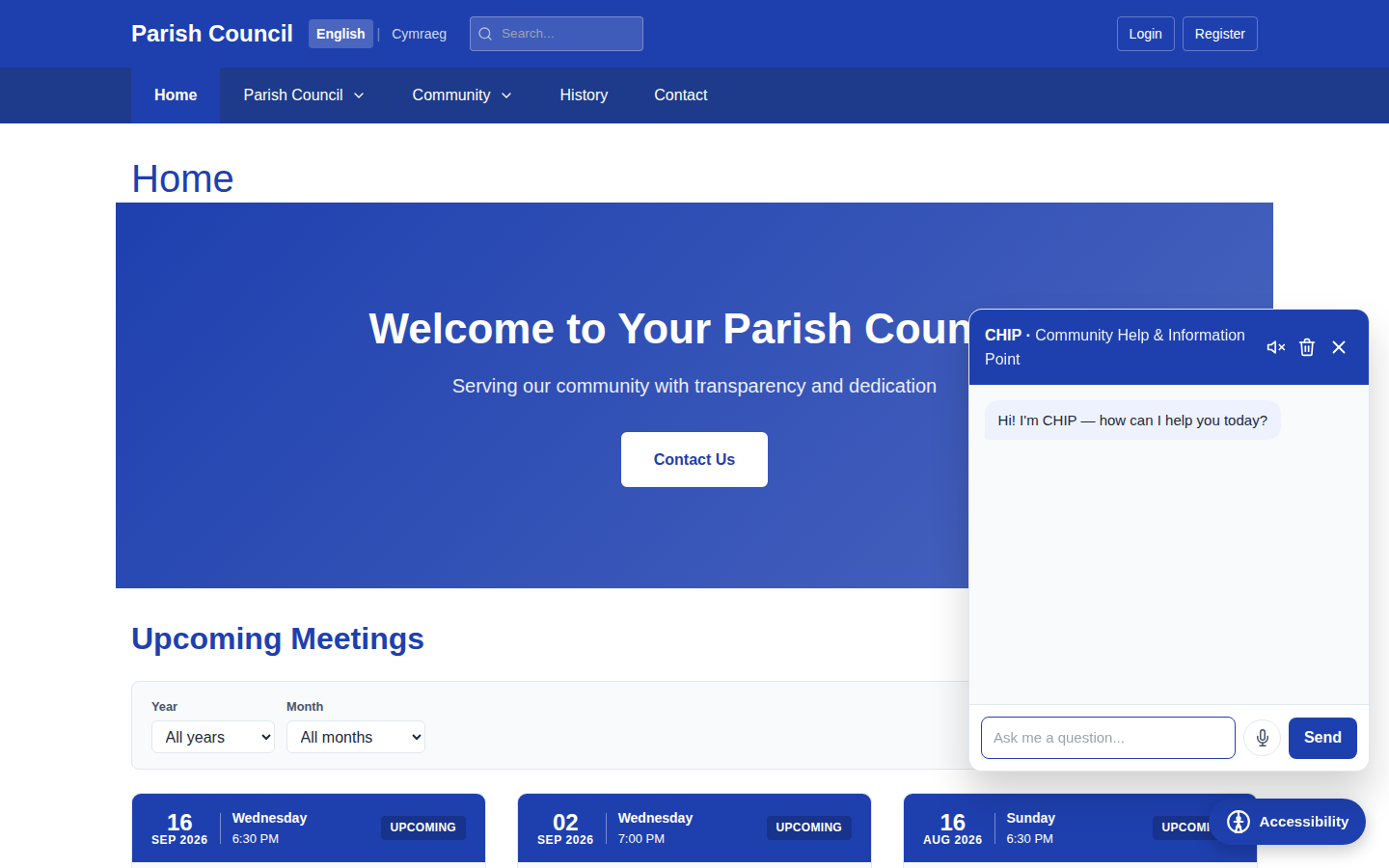
CHIP is a built-in chatbot that answers residents' questions using your own site content — pages, news, meetings, policies and more — so people find what they need without searching, day or night.
- Answers drawn from your published content
- Always-on resident self-service
- Voice input with en-GB output
- Accessible, keyboard-friendly chat panel
Accessibility built into the admin
Accessibility isn't an afterthought — it's validated as you work. Pick colours and the admin checks contrast against WCAG 2.2 AA live, choose from 25 pre-validated themes, and ship a public accessibility toolbar plus an auto-generated accessibility statement.
- Live WCAG 2.2 AA contrast checking as you pick colours
- 25 pre-validated WCAG-AA themes
- Public accessibility toolbar
- Auto-generated accessibility statement
Media library & visual menu builder
Organise images and documents in a central media library, and build your site navigation visually with a drag-and-drop menu tree — no fiddly settings screens.
- Central media library
- Reusable images & documents across content
- Visual drag-and-drop menu tree
- Multiple menus per site

Limitless layout options
No two councils are the same, so no two MCF sites have to be either. Every page is assembled from a library of 30+ content blocks you drag into any order, and every block has its own display options — so the same content can look completely different from one page to the next. Add 25 accessible themes, four navigation styles and per-page overrides, and the combinations are effectively endless.
30+ blocks, any order
Build each page by dragging blocks — hero, text, images, councillors, meetings, maps, FAQs, grants and more — into whatever order tells your story. Mix and match freely on every page.
Configure every block
Each block carries its own settings: card grids or lists, one to six columns, tabs or accordions, image fit and alignment, overlays and result limits — so a single block becomes many different layouts.
25 themes, or your own
Recolour the whole site from 25 ready-made themes — every one checked for WCAG 2.2 AA contrast before you can pick it — or define your own brand colours.
Per-page overrides
Give any single page its own theme and its own navigation menu when it needs to stand apart — without rebuilding or duplicating the rest of your site.
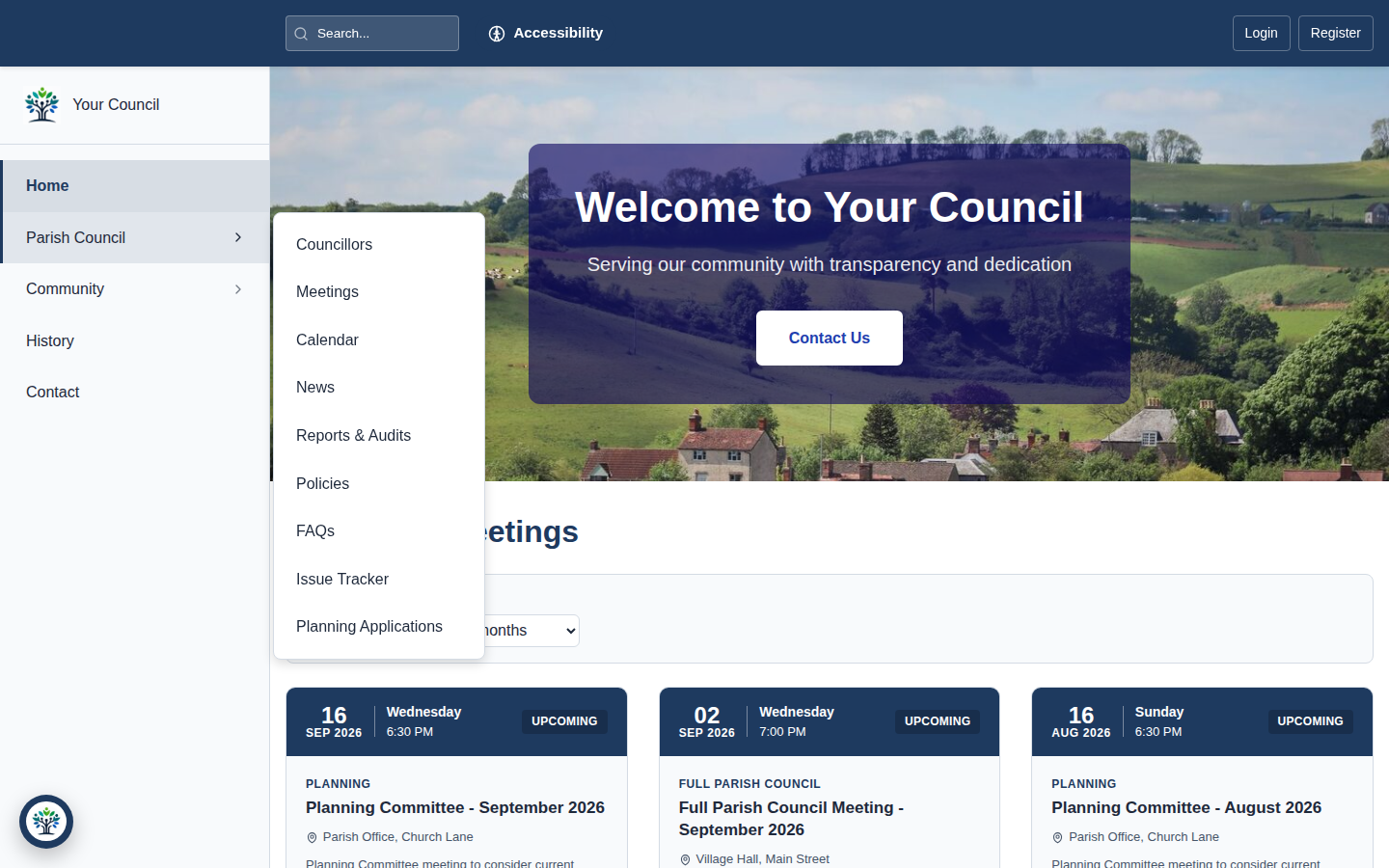
Four site-wide navigation layouts


Grant schemes & applications
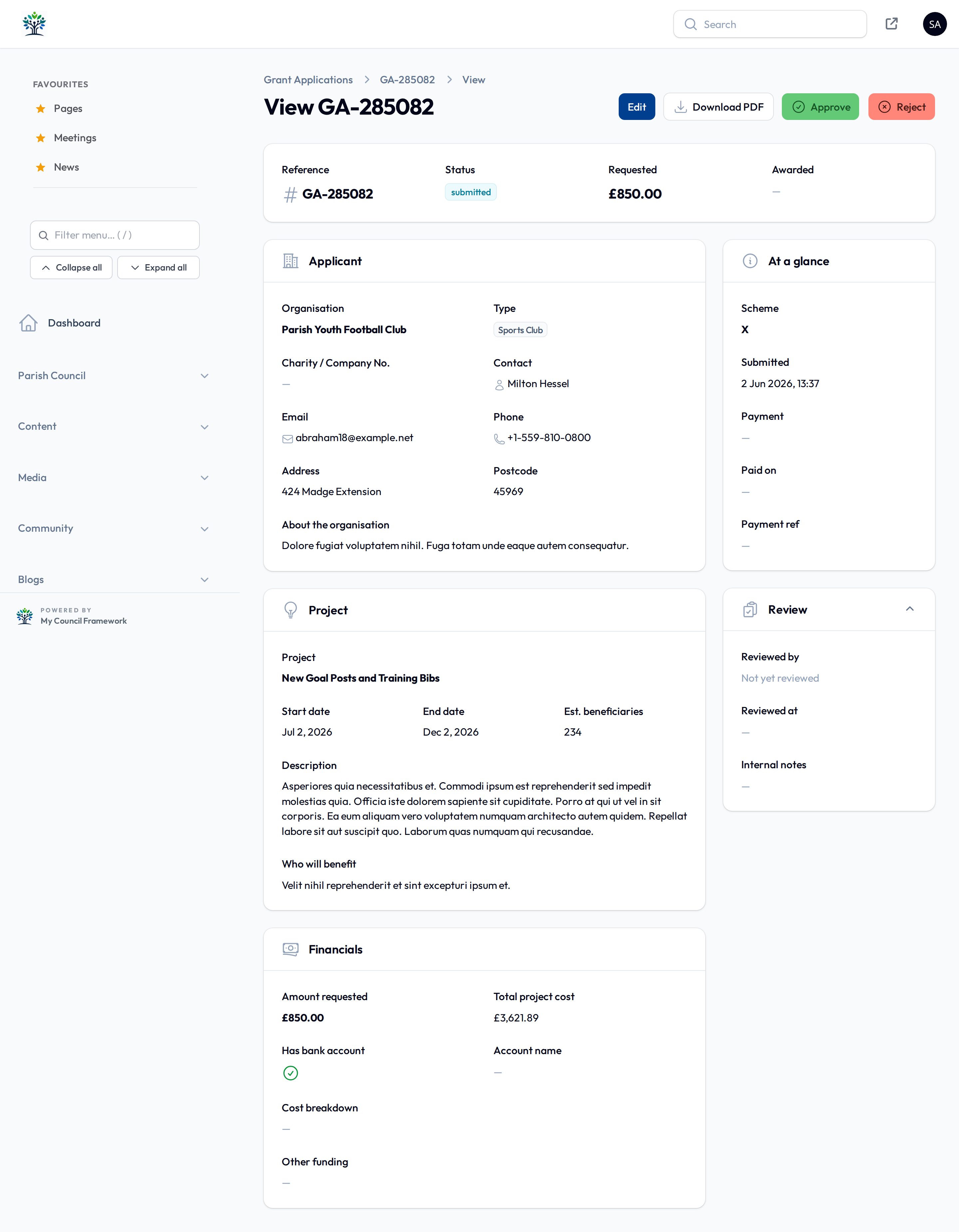
Publish your grant schemes, take applications online and manage them through to a decision — then export the result to a polished PDF for your records or applicants.
- Publish grant schemes
- Online grant applications
- PDF export of applications
Interactive maps & virtual tour
Help residents explore the parish with interactive maps showing amenities, venues, reported issues and points of interest — and add a virtual tour with editable points of interest to bring your area to life.
- Interactive parish maps
- Amenity, venue & issue markers
- Virtual tour with editable points of interest

Search, SEO, blogs & bilingual content
Round it off with site-wide search, built-in SEO tools, multi-author blogs, optional Welsh and bilingual content, and a National Mourning mode for moments of national significance.
- Site search
- SEO tools — sitemaps, redirects & meta
- Multi-author blogs
- Optional Welsh / bilingual content
- National Mourning mode

Engineered to a high standard
Held to a rigorous bar — tested, scanned and audited so your council data and your residents' information stay safe.
Rigorously tested
A large automated test suite runs on every change, so features keep working release after release.
Automated security analysis
Static application security testing (SAST) inspects the codebase automatically to catch issues early.
External OWASP scans
The platform is scanned against OWASP standards to check it holds up against common web threats.
Accessibility-audited
Pages are accessibility-audited against WCAG 2.2 AA, so your website is usable by every resident.
Ready to see it in action?
Explore the live demo, browse our screenshot gallery, or get in touch to arrange a personalised walkthrough of every feature.